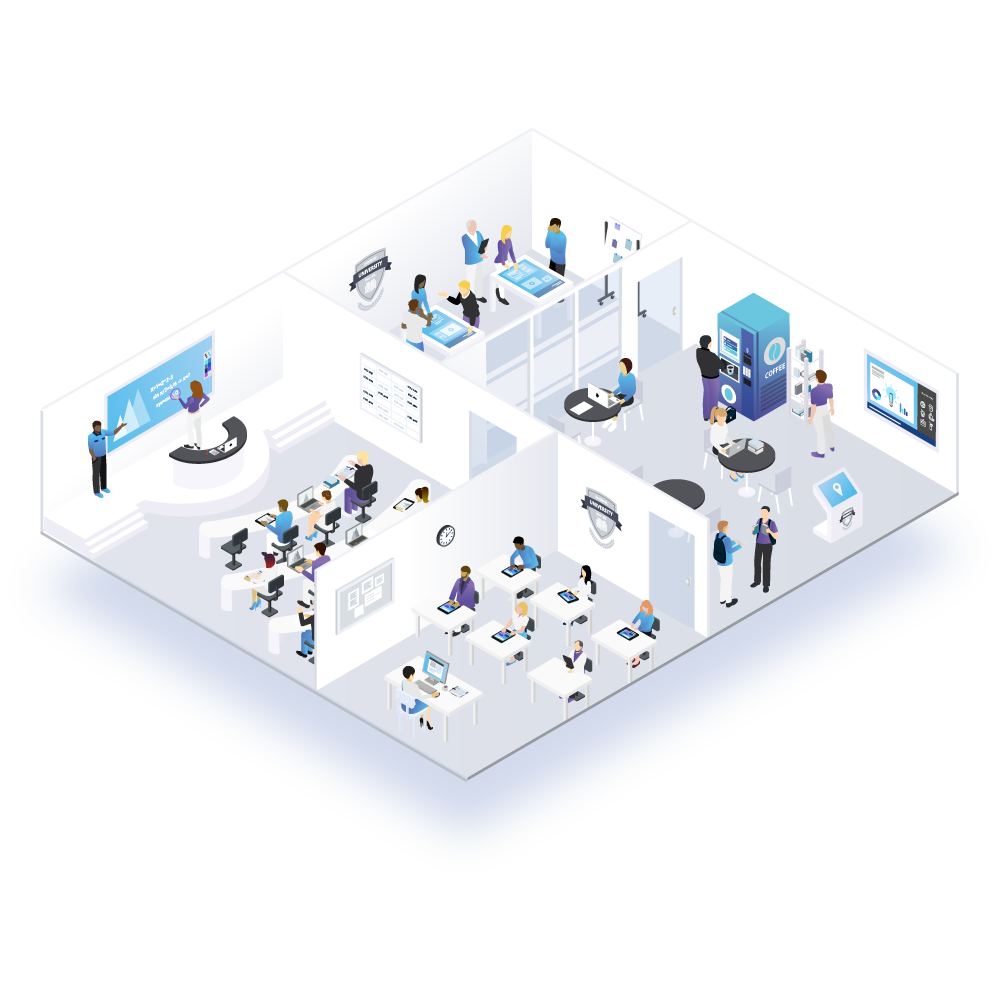
Empower Learning Through Interactive Displays

Interactive Digital Signage & Presentation Software for Schools & Universities

Create dynamic, no-code digital signage and interactive classroom & campus displays that inform, engage and inspire students, faculty, and visitors. Streamline communication, enrich learning and manage content across any screen—schoolwide or campus-wide.

Truist Bank logoIdaho Central Credit Union logoMariner Finance logoVyStar Credit Union logoVyStar Credit Union logo
financial consulting & banking

Why Interactive Displays Transforms Learning Environments

Real-Time Communication

Share updates, alerts, and schedules- ensuring information reaches students and staff instantly.

Interactive Learning

Boost engagement with interactive lessons and content.

Simpler, Smarter Operations

Automate announcements, events, and campus messaging.

How Education Spaces use Interactivity?

bullet arrow
Digital Announcements & Campus Messaging: Broadcast schedules, menus, events, and alerts across hallways, cafeterias, and common areas.
bullet arrow
Interactive Lessons & Classroom Activities – Use touchscreens, quizzes, maps, and multimedia to create engaging, student-led learning moments.
bullet arrow
Wayfinding & Visitor Information Kiosks – Provide interactive maps and directories to help students, parents, and guests navigate unfamiliar spaces.
self-service research
Intuiface for financial services

Why Intuiface?

Intuiface gives schools and universities the ability to create interactive digital signage and learning experiences without writing a single line of code. Whether you’re broadcasting campus updates, enhancing classroom lessons, or guiding visitors through your facilities, you can build dynamic, touch-enabled content that adapts in real time.

With native support for calendars, schedules, menus, data feeds, and campus systems, every display stays accurate and up to date. Intuiface runs on kiosks, hallway screens, classroom panels, and video walls, making it easy to manage communication across the entire campus. And with built-in analytics, you can understand what content students engage with most and continually improve how information is shared.

How Does Intuiface Work?

With Intuiface, universities can design interactive wayfinding kiosks, digital info boards, and classroom displays—without writing code. From live schedules to interactive content, the entire campus becomes more informed, connected, and data-driven.

bullet right mark
Composer: Drag-and-drop editor built for creatives, not developers.
bullet check mark
API Explorer: Connect to the back office and cloud-hosted services
bullet check mark
Player: Run everywhere, from kiosks & tablets to signs & video walls
bullet check mark
Headless CMS: Manage public-facing content from any web browser.
bullet check mark
Analytics: Measure user selections and refine deployment strategies.

Features That Empower Modern Education Spaces

1.
Multi-Device & Multi-Display Deployment
+

Run content on tablets, kiosks, video walls, hallway screens or classroom panels — flexible for labs, hallways, libraries or outdoor signage.

2.
Live Data & External Integration
+

Connect to timetables, event feeds, cafeteria menus, databases or CMS so content stays up-to-date and relevant.

3.
Interactive & Touch-Enabled Experiences
+

Build lessons, quizzes, interactive maps or information kiosks where students or visitors can navigate and explore on their own.

4.
Wayfinding & Visitor/Student Directories
+

Interactive campus maps and directory kiosks help new students, parents or guests find classrooms, offices, or facilities easily.

TESTIMONIALS

What Our Clients Are Saying

Element Group logo
SERENITY STUDIOS
Serenity Studios inspires students with Interactive storytelling installations at University of Oregon

"Putting this level of “awe” in awesome meant assigning an experienced design team who understands how to use modern touchscreen technology like Intuiface for maximum effect." Brian Gotts, Founder and CEO

Success Story
Diversified logo
UNIVERSITY OF KENTUCKY
University of Kentucky Revamps Student Recruitment with Intuiface on Chrome

"As one of the easiest to use design tools we had ever experienced, we knew Intuiface would be the best fit for this project if we could create the recruiting application for Chrome. As it turns out, we could. The affordability of Intuiface licenses solidified this decision." Scott Bradley, Director of IT

Success Story
Capgemini logo
QUINTESSENCE
University of Oregon ‘Wired Humanities Projects’ Navigates Experience Design with Intuiface

“Not having to learn code was very valuable and the easily-accessible templates helped in the designing phase. I could test out the template experiences with our content added in." Joshua Fitzgerald, PhD Candidate

Success Story
Frequently Asked Questions

FAQs

Find answers to common questions about our company and services.

1.
What kind of content can I build with Intuiface?
+

Unlike traditional digital signage platforms, Intuiface does not limit you to prebuilt templates. Include your own images, videos, documents, and more, and control every pixel of the design. There is no limit to what you can create - and it’s all interactive!

2.
How does Intuiface work?
+

You build in Composer on Windows, then deploy to Player, which is installed on every device in your network. Player runs just about everywhere: Windows, Android, BrightSign, iPadOS, Chrome, Samsung Tizen, and Raspberry Pi.

3.
Can guests interact with Intuiface content without touching the screen?
+

Yes. Intuiface supports various touch-free modalities like voice, sensors, gestures, and the use of personal mobile phones as a remote control.

4.
How secure is Intuiface?
+

Enterprise-grade security is built in. Intuiface is ISO 27001 certified, meaning it adheres to the most rigorous data management and protection standards in the industry.

5.
Can Intuiface integrate with our existing systems?
+

Yes. Intuiface enables seamless integration with CRMs, content management systems, and any other cloud-hosted services thanks to its no-code ability to communicate with virtually any Web API.

6.
Is it possible to measure ROI and engagement with Intuiface?
+

Intuiface’s built-in analytics feature enables data collection for every interaction. Measure dwell time, identify engagement outliers, and track optimal conversion paths.

7.
Can I try Intuiface before I purchase a subscription?
+

Yes! We offer a free 28-day trial by signing up . You can try all of our features and test your content in Player on any device of your choosing.

The Future Of Interactivity For Schools Is Found Here.  Be Part Of It.

Start your trial!